UK Small Business Directory
How to See What your Others See on Google Based on Their Location
With Google using the searchers location as a ranking factor when showing results it is virtually impossible to know what others see when searching from different locations
If you want to see what others see when searching on Google simply enter the search phrase, their location and the number of results you want displayed in the boxes below.
Version 1 – See Results on Google
Version 2 – See Results on Google Maps
Take Back Control of Your Google Searches
Control the location you are searching from
How This Works
w+CAIQICI
Shipston-on-Stour
number of letters in location = 17
17 + 1 letter of alpabet (Uppercase) = mystery letter
ABCDEFGHIJKLMNOPQ + 1 = mystery letter = R
base64 Shipston-on-Stour = U2hpcHN0b24tb24tU3RvdXI=
Result = w+CAIQICIRU2hpcHN0b24tb24tU3RvdXI=
&uule=w+CAIQICIRU2hpcHN0b24tb24tU3RvdXI= = Search From Shipston-on-Stour
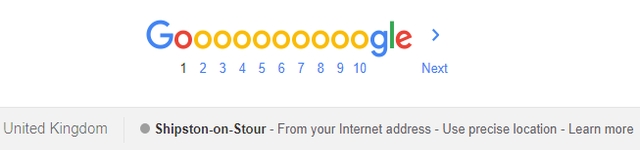
You can test if this has worked by scrolling to the bottom of the Google results page and checking the location they think you are in.
Google Business Finder
Enter Business Name
Google Business Finder
Google Business Finder